Two Generations, One Repo
The legacy app: .NET 8 WPF, ~27,700 lines of C#. The port: Tauri 2 with a Rust backend and a React 18 + TypeScript frontend — smaller, faster, and intentionally less capable.
A Windows desktop app for staging, launching, and supervising a fleet of game-client sessions on one machine — and a ground-up rebuild of a legacy .NET/WPF application into a Tauri 2 + Rust port with a deliberately smaller feature surface, enforced by tests rather than good intentions.
Running dozens of client sessions on one Windows machine creates an operations problem: staging launches without overwhelming the system, keeping per-session settings organized, storing credentials safely, and knowing which running processes belong to the app — and which don't.
The first answer was a legacy WPF application that grew for years and accumulated features that made it heavy and unmaintainable. The second answer — this project — was a rebuild that asked a harder question: which features deserve to survive the port?
The legacy app: .NET 8 WPF, ~27,700 lines of C#. The port: Tauri 2 with a Rust backend and a React 18 + TypeScript frontend — smaller, faster, and intentionally less capable.
Session credentials are encrypted at rest with Windows DPAPI and stored as blobs in a local SQLite vault — never as plaintext files, never leaving the machine.
Instead of dozens of one-off Tauri commands, the frontend talks to a single generic dispatcher in Rust. New operations are added in one place, and the API boundary stays small enough to audit.
Kill and relaunch actions apply only to sessions the app itself launched and tracks — everything else on the machine is read-only visibility. State is file-backed, so the queue and tracked sessions survive restarts.
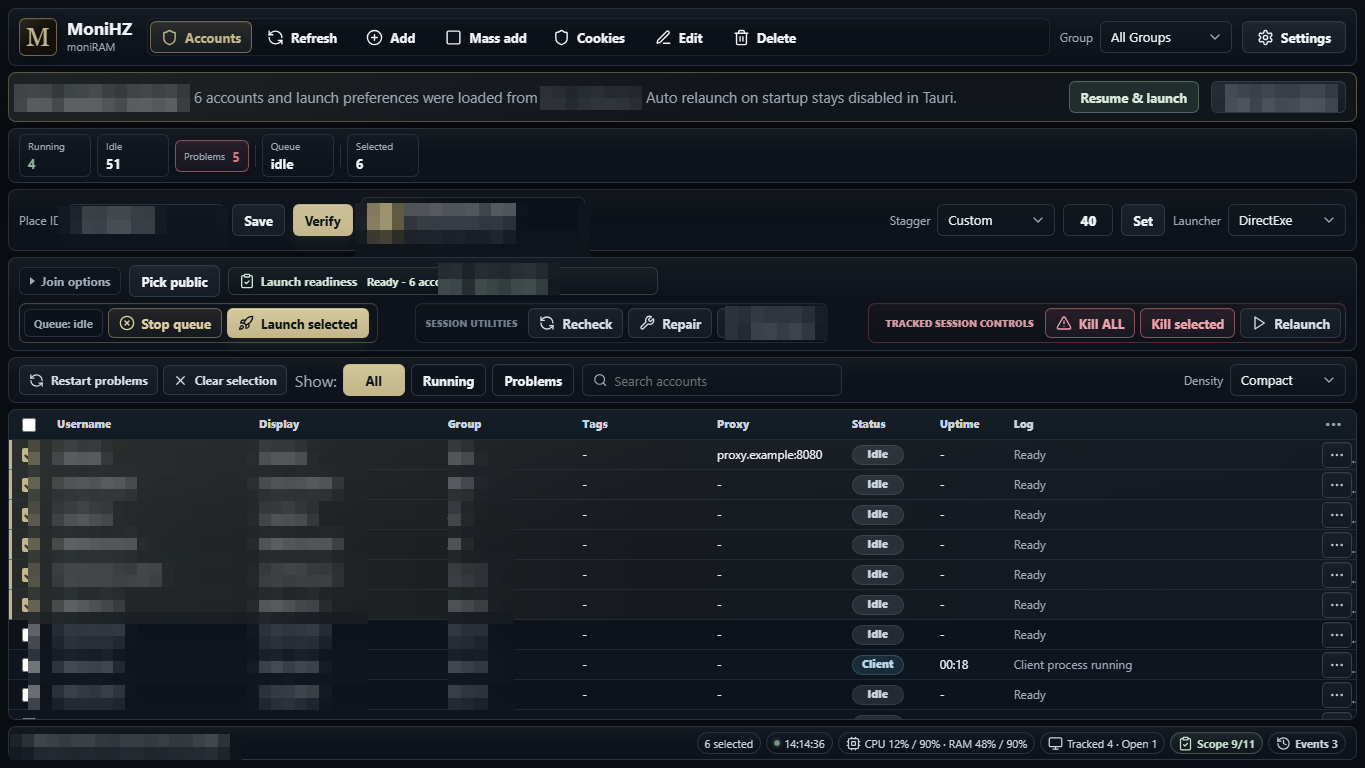
The Tauri port's main view: session roster with per-row status, launch staging with stagger control, restore of a previous session, and tracked-session process controls. Identifiers redacted.
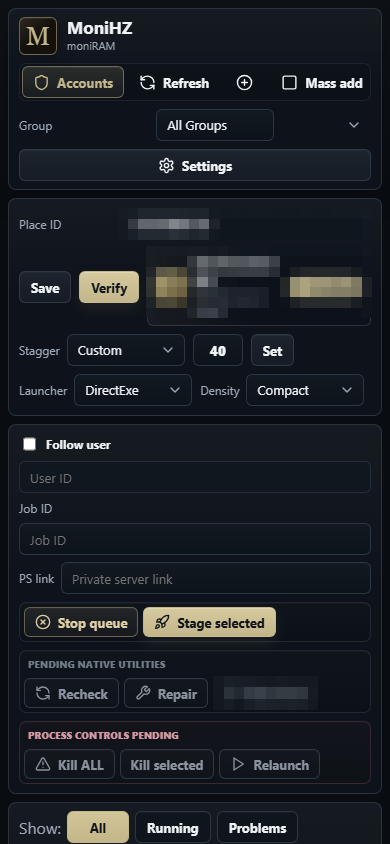
The same controls in a compact responsive layout — staging, queue control, and process management in a single column.
The hard part wasn't porting features. It was constraining them. The legacy codebase contained capabilities that had no place in the rebuild, and a port that merely intends to leave them behind will reabsorb them one convenient commit at a time.
So the boundary is enforced mechanically: the Rust backend ships a test suite that scans the port for references to legacy modules and fails the build if any appear, rejects unsupported launch modes at the API boundary, verifies that lookups only touch public endpoints, and confirms that process controls can't reach anything the app didn't launch itself. The port's limits are a build contract, not a promise.
Honest state of the project: both generations build and pass their test suites, but the port is not at full parity — some legacy features are still being carried over, and others were deliberately left to die with the old codebase. Architecture, scoping decisions, and debugging are mine; the keystrokes belong to AI coding agents I directed.